
In today’s fast-paced digital economy, businesses generate thousands of documents daily—from invoices and contracts to proposals and compliance reports. Manual document creation consumes valuable employee hours, introduces errors, and creates operational bottlenecks that slow down business growth. Studies show that knowledge workers spend approximately 30-40% of their workweek searching for, creating, or managing documents, representing a massive drain on productivity and profitability.
Document streamlining through automation and intelligent management systems offers a transformative solution. By leveraging modern technologies like AI-powered document processing, workflow automation, and cloud-based document management systems (DMS), businesses can reduce document creation time by up to 80%, minimize errors, and free employees to focus on strategic, revenue-generating activities.
This comprehensive guide explores proven strategies, technologies, and best practices for streamlining document creation across your organization, regardless of size or industry.
The Hidden Costs of Manual Document Processes
Traditional document creation methods create significant challenges that impact business operations:
Time-Intensive Manual Labor
- Employees spend 15-25 hours per week on document-related tasks
- Searching for files wastes an average of 1.8 hours per employee daily
- Manual data entry and formatting consumes productive work hours
Financial Burden
- Printing, copying, and physical storage costs accumulate quickly
- Overnight shipping for signature documents adds unnecessary expenses
- Lost productivity translates to approximately $19,732 per knowledge worker annually
Error-Prone Operations
- Human data entry errors occur at rates of 1-4%
- Version control issues lead to working with outdated information
- Inconsistent formatting damages professional brand image
Security Vulnerabilities
- Physical documents are susceptible to loss, theft, or damage
- Uncontrolled document sharing creates compliance risks
- Lack of audit trails complicates regulatory adherence
Collaboration Roadblocks
- Email attachments create multiple competing versions
- Remote team members struggle to access critical files
- Manual approval processes cause delays of 3-7 business days
Core Technologies for Document Streamlining
1. Document Management Systems (DMS)
A Document Management System serves as the centralized foundation for efficient document creation and control.
Key DMS Capabilities:
| Feature | Business Impact | Example Application |
|---|---|---|
| Centralized Repository | 60% reduction in search time | Single source of truth for all company documents |
| Version Control | Eliminates duplicate work | Automatic tracking of document revisions with rollback capability |
| Role-Based Access | Enhanced security compliance | Finance team accesses sensitive data while restricting others |
| Advanced Search | 75% faster document retrieval | Find contracts by date, amount, vendor, or content keywords |
| Audit Trails | Regulatory compliance | Complete history of who accessed or modified documents |
Implementation Benefits:
- Scalability: Grows seamlessly from 10 to 10,000 users
- Mobile Access: Teams work from anywhere with internet connectivity
- Integration Ready: Connects with existing ERP, CRM, and accounting systems
2. Document Automation Platforms
Document automation technology uses templates, workflows, and data integration to generate documents with minimal human intervention.
Automation Capabilities:
Template Management
- Pre-designed formats for contracts, proposals, invoices, reports
- Dynamic fields automatically populated from database sources
- Conditional logic adjusts content based on customer data or transaction type
Workflow Orchestration
- Documents route automatically to appropriate approvers
- Deadline reminders prevent bottlenecks
- Parallel approval paths accelerate complex reviews
Data Integration
- Pulls information from CRM, ERP, HR systems, and databases
- Eliminates redundant data entry
- Ensures consistency across all business documents
3. AI-Powered Document Processing
Artificial Intelligence and Machine Learning technologies transform document creation from reactive to predictive.
AI-Driven Features:
| Technology | Function | Efficiency Gain |
|---|---|---|
| OCR (Optical Character Recognition) | Converts scanned documents to editable text | 95% reduction in manual transcription |
| Natural Language Processing (NLP) | Understands document context and content | Automated categorization and routing |
| Machine Learning Models | Learns organization-specific patterns | Continuous accuracy improvement over time |
| Intelligent Data Extraction | Identifies and captures key information fields | 90% faster invoice processing |
| Automated Classification | Sorts documents by type without human input | Processes 10,000+ documents hourly |
Real-World Application: A mid-sized insurance company implemented AI-powered document processing and reduced policy document creation from 45 minutes to 7 minutes per policy, while simultaneously improving accuracy from 92% to 99.2%.
10 Proven Strategies to Streamline Document Creation
Strategy 1: Implement Standardized Document Templates
Why It Matters: Template standardization ensures brand consistency, reduces creation time by 65%, and minimizes formatting errors.
Action Steps:
- Audit existing documents to identify frequently used formats
- Design professional templates for each document category
- Include dynamic fields that auto-populate from data sources
- Create style guides ensuring brand compliance across all templates
- Store templates in centralized, accessible location
Practical Example: A consulting firm created 15 standardized proposal templates with client information auto-filled from their CRM. Proposal creation time dropped from 4 hours to 45 minutes, enabling the team to respond to 3x more RFPs.
Strategy 2: Automate Document Generation Workflows
Why It Matters: Workflow automation eliminates repetitive tasks, reduces human touchpoints, and accelerates document completion by 70-80%.
Key Workflow Components:
- Trigger Events: Automatically initiate document creation (e.g., new sales opportunity, employee hire)
- Data Population: Pull information from integrated systems without manual entry
- Approval Routing: Send documents to stakeholders based on predefined rules
- Notifications: Alert relevant parties at each workflow stage
- Completion Actions: Archive, distribute, or integrate with downstream processes
Implementation Framework:
Step 1: Map current manual processes
Step 2: Identify automation opportunities
Step 3: Design ideal workflow states
Step 4: Configure automation rules
Step 5: Test with pilot department
Step 6: Scale across organization
Strategy 3: Adopt Electronic Signature Solutions
Why It Matters: Digital signatures eliminate printing, scanning, and mailing, reducing document turnaround from days to minutes.
Business Benefits:
| Traditional Process | Electronic Signature | Time Savings |
|---|---|---|
| Print → Sign → Scan → Email | Click to sign digitally | 95% reduction |
| 3-7 business days | 1-24 hours | 85% faster completion |
| $15-25 per signed document | $0.50-2.00 per signature | 90% cost savings |
Security Advantages:
- Legally binding with digital certificates
- Complete audit trail of signers and timestamps
- Tamper-evident encryption
- Multi-factor authentication options
Popular Platforms: DocuSign, Adobe Sign, PandaDoc, HelloSign
Strategy 4: Centralize Document Storage in the Cloud
Why It Matters: Cloud-based storage provides anywhere, anytime access while reducing physical storage costs by up to $50,000 annually for mid-sized businesses.
Cloud Storage Benefits:
Accessibility
- Remote teams access files from any device
- Real-time collaboration on shared documents
- Automatic syncing across all platforms
Security
- Enterprise-grade encryption (256-bit AES)
- Automated backup and disaster recovery
- Granular permission controls
Cost Efficiency
- Eliminate physical storage space requirements
- Pay-as-you-grow pricing models
- Reduced IT infrastructure costs
Recommended Solutions: Microsoft SharePoint, Google Workspace, Dropbox Business, Box
Strategy 5: Establish Clear Approval Workflows
Why It Matters: Defined approval processes prevent bottlenecks, ensure compliance, and reduce approval cycle times by 50-65%.
Workflow Design Elements:
- Sequential Approvals: Documents move through approvers in specific order
- Parallel Approvals: Multiple stakeholders review simultaneously
- Conditional Routing: Approver changes based on document parameters (e.g., contract value)
- Escalation Rules: Automatic alerts if approvals stall beyond deadlines
- Delegation Options: Approvers designate alternates during absence
Example Workflow:
Purchase Order Creation → Department Manager Review (2 days)
→ Finance Approval (1 day) → [If >$10K] Executive Approval (1 day)
→ Vendor Distribution → Archive
Strategy 6: Implement Version Control Systems
Why It Matters: Version control prevents confusion, enables collaboration, and provides complete document history.
Version Control Features:
- Automatic Versioning: Every save creates new version with timestamp
- Change Tracking: Highlights modifications between versions
- Rollback Capability: Restore previous versions instantly
- Branching: Create alternative document versions for comparison
- Merge Functionality: Combine changes from multiple contributors
Business Impact: A legal entity management software implemented version control and eliminated 95% of version-related errors, saving an estimated 12 hours per week previously spent reconciling document conflicts.
Strategy 7: Train Teams on Document Best Practices
Why It Matters: Technology alone doesn’t drive transformation—user adoption determines success rates of 85%+ versus 40% for untrained implementations.
Comprehensive Training Program:
| Training Component | Duration | Delivery Method | Expected Outcome |
|---|---|---|---|
| System Overview | 1 hour | Live webinar | Understanding of capabilities |
| Hands-On Practice | 2-3 hours | Interactive workshop | Practical proficiency |
| Role-Specific Training | 1 hour | Department sessions | Customized workflows |
| Ongoing Support | Continuous | Help desk + documentation | Long-term competency |
| Advanced Features | 1 hour quarterly | Lunch-and-learn | Maximized ROI |
Change Management Tips:
- Identify department champions to advocate for new systems
- Celebrate early wins publicly
- Gather feedback regularly and implement improvements
- Provide accessible documentation and video tutorials
Strategy 8: Integrate with Existing Business Systems
Why It Matters: System integration eliminates data silos, reduces duplicate entry, and creates seamless information flow across your organization.
Critical Integrations:
CRM Integration
- Auto-populate customer data into contracts and proposals
- Track document status alongside sales opportunities
- Trigger document creation from CRM workflows
ERP Integration
- Generate purchase orders from inventory systems
- Create invoices directly from shipping confirmations
- Synchronize financial data for reporting documents
HR Systems
- Automate offer letters, onboarding documents, performance reviews
- Pull employee data for organizational charts and directories
API Connectivity
- Connect to proprietary systems and databases
- Build custom workflows between disparate platforms
- Enable data exchange with external partners
Strategy 9: Monitor and Analyze Document Workflows
Why It Matters: Continuous monitoring identifies bottlenecks, measures ROI, and reveals optimization opportunities.
Key Performance Metrics:
| Metric | What It Measures | Target Improvement |
|---|---|---|
| Creation Time | Average minutes to generate document | 70-80% reduction |
| Approval Cycle | Days from creation to final approval | 50-60% reduction |
| Error Rate | Percentage of documents requiring rework | 85-95% reduction |
| Cost Per Document | Total expenses divided by volume | 60-75% reduction |
| User Adoption Rate | Percentage of team using new systems | 90%+ participation |
| Search/Retrieval Time | Minutes to locate specific documents | 80% reduction |
Analytics Tools:
- Built-in DMS reporting dashboards
- Business intelligence platforms (Tableau, Power BI)
- Custom analytics using API data extraction
Strategy 10: Regularly Review and Update Templates
Why It Matters: Business requirements evolve—outdated templates create inefficiencies, compliance risks, and missed opportunities.
Template Maintenance Schedule:
Quarterly Reviews:
- Verify compliance with current regulations
- Update branding elements (logos, colors, contact information)
- Incorporate user feedback for improvements
Annual Audits:
- Comprehensive template library assessment
- Remove obsolete or redundant templates
- Benchmark against industry best practices
- Align with strategic business objectives
Continuous Improvement:
- Monitor template usage analytics
- A/B test template variations for effectiveness
- Solicit stakeholder input on functionality
Selecting the Right Document Management Solution: Essential Evaluation Criteria

1. Ease of Use
- Intuitive interface requiring minimal training
- Logical navigation and clear visual hierarchy
- Mobile-responsive design for on-the-go access
2. Customization and Scalability
- Configurable workflows matching your processes
- Flexible permission structures
- Capacity to grow from 50 to 5,000+ users
3. Integration Capabilities
- Pre-built connectors for popular business applications
- Robust API for custom integrations
- Bi-directional data synchronization
4. Security and Compliance
- End-to-end encryption for data in transit and at rest
- Compliance certifications (SOC 2, ISO 27001, HIPAA, GDPR)
- Advanced user authentication (SSO, MFA)
- Comprehensive audit logging
5. Vendor Support and Reliability
- 99.9%+ uptime guarantee
- 24/7 technical support options
- Regular product updates and innovation roadmap
- Strong customer community and resources
6. Total Cost of Ownership
| Cost Component | Considerations |
|---|---|
| Licensing | Per-user vs. organization-wide pricing |
| Implementation | Professional services, data migration, training |
| Ongoing Subscription | Monthly/annual fees, storage costs |
| Customization | Development for unique requirements |
| Support | Premium support tiers, SLA guarantees |
ROI Calculation: Most businesses achieve positive ROI within 6-12 months through productivity gains and cost reductions.
Industry-Specific Document Streamlining Applications
Healthcare Organizations
Challenges:
- HIPAA compliance requirements
- High document volumes (patient records, insurance claims, prescriptions)
- Need for rapid access in emergency situations
Solutions:
- Automated patient intake forms with OCR for insurance cards
- Electronic health record (EHR) integration
- Secure patient portals for document sharing
- Automated claims processing reducing approval time from 14 days to 3 days
Financial Services
Challenges:
- Strict regulatory compliance (SEC, FINRA, SOX)
- Sensitive financial data requiring maximum security
- Complex approval chains for large transactions
Solutions:
- Automated loan application processing
- Compliance-ready audit trails and retention policies
- Encrypted document transmission
- Electronic signatures for account openings and agreements
Legal Firms
Challenges:
- Document-heavy workflows with complex version control
- Billable hour tracking
- Confidentiality and privilege protection
Solutions:
- Matter-centric document organization
- Automated time tracking linked to document creation
- Redaction tools for sensitive information
- Contract lifecycle management with automated renewals
Manufacturing
Challenges:
- Quality control documentation
- Supply chain purchase orders and invoices
- Multi-location coordination
Solutions:
- Automated invoice processing with 3-way matching
- Quality inspection report generation
- Supplier portal for document exchange
- Bill of materials (BOM) integration with engineering systems
Implementation Roadmap: From Planning to Success
Phase 1: Assessment and Planning (Weeks 1-4)
Activities:
- Document Current State
- Inventory all document types and volumes
- Map existing creation and approval processes
- Identify pain points and bottlenecks
- Calculate current costs (time, materials, storage)
- Define Objectives
- Set specific, measurable goals (e.g., “reduce contract creation time by 60%”)
- Establish success metrics and KPIs
- Align with broader business objectives
- Stakeholder Engagement
- Form cross-functional project team
- Identify executive sponsors
- Conduct department-level needs assessment
- Solution Selection
- Create detailed requirements document
- Research and demo 3-5 potential solutions
- Conduct vendor references and case study review
- Make final selection based on scorecarded evaluation
Phase 2: Pilot Implementation (Weeks 5-12)
Activities:
- Pilot Department Selection
- Choose department with high document volume
- Select enthusiastic team willing to provide feedback
- Ensure manageable scope for learning
- Configuration and Customization
- Build initial templates (5-10 most common documents)
- Configure core workflows
- Set up integrations with 1-2 key systems
- Establish security and permission structures
- Data Migration
- Migrate historical documents (typically 12-24 months)
- Validate data integrity and accessibility
- Archive older documents with retrieval capability
- Training and Adoption
- Conduct hands-on training for pilot users
- Provide reference materials and job aids
- Establish help desk or support channels
- Testing and Refinement
- Process actual business documents
- Gather user feedback daily
- Make iterative improvements
- Measure against baseline metrics
Phase 3: Organization-Wide Rollout (Weeks 13-26)
Activities:
- Phased Deployment
- Roll out to additional departments sequentially
- Apply lessons learned from pilot
- Adapt workflows for department-specific needs
- Comprehensive Training
- Deliver role-based training programs
- Create department champions network
- Develop self-service learning resources
- Change Management
- Communicate benefits and success stories
- Address resistance with empathy and support
- Celebrate milestones and quick wins
- Full Integration
- Complete all planned system integrations
- Build comprehensive template library
- Implement all workflows organization-wide
Phase 4: Optimization and Continuous Improvement (Ongoing)
Activities:
- Monthly Performance Reviews: Analyze metrics and identify improvement areas
- Quarterly Template Updates: Refresh content and incorporate feedback
- Annual Strategic Assessment: Evaluate against business objectives
- Technology Upgrades: Adopt new features and capabilities
- User Community Building: Foster knowledge sharing and best practices
Measuring ROI and Business Impact

Quantitative Benefits
Time Savings Calculation:
Average document creation time before automation: 45 minutes
Average document creation time after automation: 10 minutes
Time saved per document: 35 minutes

Documents created monthly: 500
Total monthly time savings: 292 hours (35 min × 500 / 60)
Annual time savings: 3,504 hours

At average loaded labor rate of $45/hour:
Annual labor cost savings: $157,680
Cost Reduction Examples:
| Expense Category | Before | After | Annual Savings |
|---|---|---|---|
| Printing & Paper | $15,000 | $3,000 | $12,000 |
| Physical Storage | $25,000 | $2,000 | $23,000 |
| Overnight Shipping | $8,500 | $500 | $8,000 |
| Lost Documents | $12,000 | $1,000 | $11,000 |
| Labor (Manual Tasks) | $220,000 | $62,320 | $157,680 |
| TOTAL | $280,500 | $68,820 | $211,680 |
Qualitative Benefits
Enhanced Customer Experience:
- 75% faster response to customer requests
- 99%+ accuracy in customer-facing documents
- Professional, consistent brand presentation
Employee Satisfaction:
- Reduction in frustrating, repetitive tasks
- More time for strategic, meaningful work
- Improved work-life balance
Competitive Advantages:
- Faster bid response enabling more opportunities
- Scalability without proportional staff increases
- Enhanced compliance and risk reduction
Business Agility:
- Rapid adaptation to market changes
- Quick rollout of new products/services
- Seamless support for remote/hybrid work models
Common Implementation Challenges and Solutions
Challenge 1: User Resistance to Change
Symptoms:
- Low adoption rates despite training
- Continued use of manual processes alongside new system
- Complaints about complexity or difficulty
Solutions:
- Involve Users Early: Include end-users in selection and design processes
- Communicate Benefits: Clearly articulate “what’s in it for me”
- Start Simple: Begin with easiest use cases to build confidence
- Provide Ongoing Support: Accessible help desk and peer mentors
- Recognize Champions: Publicly celebrate early adopters
Challenge 2: Data Quality and Migration Issues
Symptoms:
- Incomplete or inaccurate historical documents
- Difficulty finding migrated files
- System performance problems due to data volumes
Solutions:
- Data Cleansing: Clean and standardize data before migration
- Phased Migration: Move critical, recent documents first
- Validation Testing: Verify completeness and accuracy post-migration
- Archive Separately: Keep very old documents in separate archive system
- Metadata Enhancement: Add rich metadata to improve searchability
Challenge 3: Integration Complexity
Symptoms:
- Data inconsistencies between systems
- Manual workarounds required to transfer information
- Failed automation due to connection errors
Solutions:
- Professional Services: Engage vendor or third-party integration specialists
- API Testing: Thoroughly test all integrations in staging environment
- Error Handling: Build robust error notification and resolution processes
- Documentation: Maintain detailed integration architecture documentation
- Monitoring: Implement proactive system health monitoring
Challenge 4: Security and Compliance Concerns
Symptoms:
- Uncertainty about data protection adequacy
- Audit findings related to document access
- Concerns about regulatory compliance
Solutions:
- Compliance Assessment: Evaluate solution against specific regulations (GDPR, HIPAA, etc.)
- Security Audit: Conduct third-party security assessment
- Policy Development: Create clear document security policies
- Regular Reviews: Quarterly access permission audits
- Training: Ongoing security awareness education
Future Trends in Document Creation and Management
Artificial Intelligence and Machine Learning
Emerging Capabilities:
- Predictive Document Creation: AI suggests templates and content based on context
- Intelligent Routing: Machine learning optimizes approval workflows
- Sentiment Analysis: Assesses tone and language in customer communications
- Automated Summarization: Generates executive summaries of lengthy documents
- Smart Search: Natural language queries return contextually relevant results
Expected Impact: AI will reduce document creation time by an additional 30-40% over the next 3-5 years.
Blockchain for Document Verification
Use Cases:
- Immutable audit trails for compliance
- Smart contracts with automated execution
- Verified credential and certification management
- Supply chain documentation authentication
Advanced Analytics and Business Intelligence
Future Capabilities:
- Predictive Analytics: Forecast document volumes and resource needs
- Process Mining: Automatically discover optimization opportunities
- Sentiment Tracking: Monitor customer satisfaction through document interactions
- Performance Benchmarking: Compare against industry standards
Hyper-Automation
Concept: End-to-end automation of entire business processes spanning multiple systems and document types.
Example Workflow:
Customer submits order (web form) →
AI validates and enriches data →
System generates contract automatically →
Routes to appropriate approver based on ML recommendations →
E-signature captured →
ERP order created →
Fulfillment documentation generated →
Shipment tracked →
Invoice created and sent →
Payment processed →
All documents archived with metadata
All without human intervention except approval signature.
Best Practices for Long-Term Success
1. Maintain Executive Sponsorship
Why It Matters: Sustained leadership support ensures resource allocation, prioritization, and organizational commitment.
Action Items:
- Schedule quarterly executive reviews of document automation metrics
- Include document efficiency KPIs in departmental scorecards
- Allocate budget for ongoing optimization and enhancements
2. Foster a Culture of Continuous Improvement
Why It Matters: Technology evolves—your processes should too.
Action Items:
- Establish document automation center of excellence
- Create feedback loops for user suggestions
- Benchmark against industry leaders
- Experiment with emerging technologies through pilot programs
3. Prioritize Data Governance
Why It Matters: Clean, well-organized data maximizes system value and minimizes risks.
Action Items:
- Develop comprehensive data governance policies
- Assign data stewardship responsibilities
- Implement regular data quality audits
- Establish retention and deletion schedules
4. Invest in User Training and Support
Why It Matters: Technology ROI depends on effective utilization.
Action Items:
- Create role-specific certification programs
- Maintain up-to-date knowledge base and video library
- Offer “office hours” for advanced questions
- Conduct annual refresher training
5. Plan for Scalability
Why It Matters: Today’s solution must accommodate tomorrow’s growth.
Action Items:
- Choose platforms with flexible licensing models
- Design workflows with expansion in mind
- Build modular integrations for easy enhancement
- Monitor system performance proactively
Frequently Asked Questions (FAQs)
Q: How long does it typically take to implement a document management system?
A: Implementation timelines vary based on organization size and complexity. A typical mid-sized business (100-500 employees) can complete a phased rollout in 3-6 months, with pilot programs starting to deliver benefits within 4-8 weeks.
Q: What’s the average ROI for document automation investments?
A: Most organizations achieve positive ROI within 6-12 months, with typical returns of 200-400% over three years through labor savings, reduced errors, and eliminated physical costs.
Q: Can document automation work for highly specialized or unique documents?
A: Absolutely. Modern platforms offer extensive customization capabilities, conditional logic, and integration options that accommodate even the most specialized requirements. The initial setup may require more configuration, but the ongoing efficiency gains justify the investment.
Q: How do we ensure security when moving to cloud-based document management?
A: Leading cloud document platforms offer enterprise-grade security including 256-bit encryption, multi-factor authentication, role-based access controls, and comprehensive audit logging. Many achieve certifications like SOC 2, ISO 27001, and industry-specific compliance (HIPAA, GDPR).
Q: What happens to our existing paper documents?
A: Most implementations include a scanning and digitization project for active documents (typically past 1-2 years). Older archives can be scanned on-demand, maintained in physical storage with reduced footprint, or outsourced to document management specialists.
Q: How do we handle employees who resist the change?
A: Success requires a comprehensive change management strategy including early involvement, clear communication of benefits, hands-on training, accessible support, and recognition of champions. Focus on making the new process easier than the old one.
Conclusion: Transform Your Business Through Document Streamlining
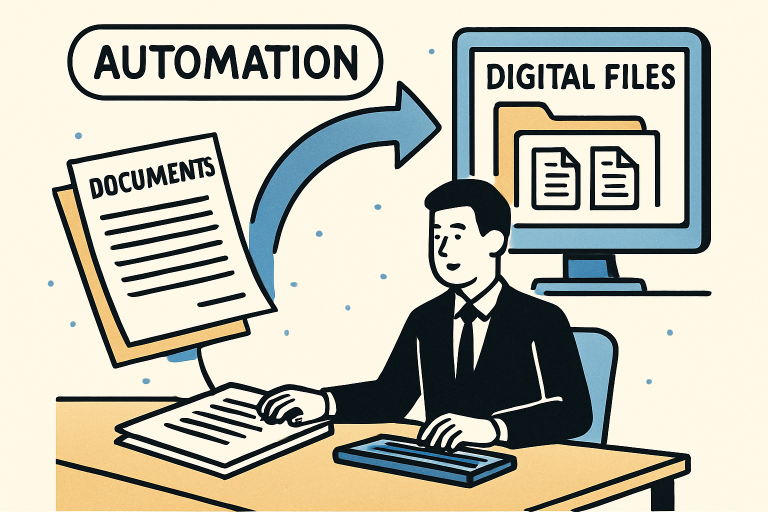
Streamlining document creation represents one of the most impactful efficiency improvements organizations can make. The value of automation becomes immediately apparent when businesses implement document management systems, automation platforms, and AI-powered processing technologies, achieving:
✅ 70-80% reduction in document creation time
✅ 60-75% decrease in document-related costs
✅ 85-95% improvement in accuracy and error rates
✅ 50-65% faster approval and completion cycles
✅ Enhanced compliance, security, and customer satisfaction
The transformation journey requires thoughtful planning, stakeholder engagement, and commitment to change management—but the results justify the investment. Organizations that embrace document streamlining position themselves for sustainable competitive advantage, operational excellence, and scalable growth.
Take Action Today
Immediate Steps You Can Implement:
- Audit Your Current State (This Week)
- Count hours spent on document-related activities
- Identify your 10 most frequently created documents
- Calculate current costs (printing, storage, labor)
- Define Your Vision (Next 2 Weeks)
- Set specific efficiency improvement goals
- Secure executive sponsorship
- Assemble cross-functional project team
- Research Solutions (Weeks 3-4)
- Schedule demos with 3-5 leading platforms
- Speak with peers who’ve implemented successfully
- Develop business case with ROI projections
- Launch Pilot Program (Weeks 5-12)
- Start with one department and document type
- Measure results rigorously
- Build momentum for organization-wide rollout
The cost of inaction is high—every day without document streamlining means continued inefficiency, wasted resources, and competitive disadvantage. Companies that delay this transformation risk falling behind more agile competitors who leverage technology to deliver faster, better, and more cost-effectively.
Ready to Transform Your Document Processes?
The future of business documentation is automated, intelligent, and seamless. Whether you’re a small business looking to eliminate paper chaos or an enterprise seeking to optimize complex workflows across global operations, document streamlining technologies can revolutionize your operations.
Don’t let inefficient document creation hold your business back. Start your streamlining journey today and unlock the productivity, cost savings, and competitive advantages that await.